
Anúncios
Amazon Alexa has revolutionized the way we interact with technology at home, offering a voice-controlled assistant that simplifies daily tasks and enhances smart living experiences.



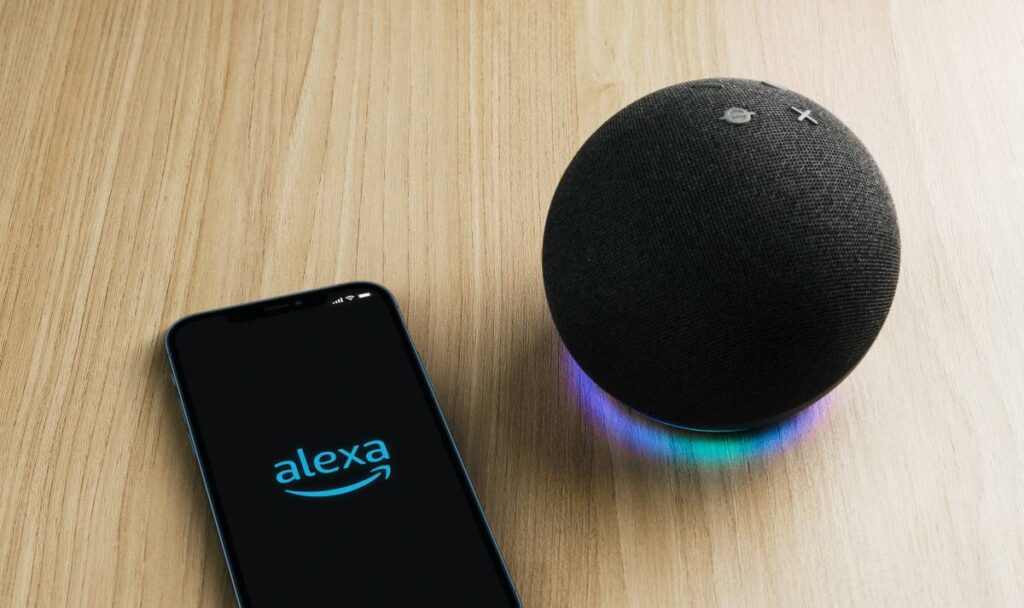
The Alexa app serves as the central hub for managing your Echo devices, smart home gadgets, and voice assistant features. Whether you’re setting up a new device or customizing routines, this application brings powerful control right to your fingertips.
Anúncios
Beyond simple voice commands, the Alexa ecosystem continues to expand with thousands of skills, integrations, and features that transform ordinary spaces into intelligent environments. Let’s explore everything this remarkable application has to offer.
🎯 What Makes the Alexa App Essential for Smart Home Management
The Amazon Alexa application acts as your command center for all Alexa-enabled devices. From the initial setup to advanced customizations, this app provides an intuitive interface that makes managing your smart ecosystem remarkably straightforward.
Anúncios
When you first download the app, you’ll discover how seamlessly it connects with Echo speakers, Fire TV devices, and countless third-party smart home products. The setup wizard guides you through connecting to Wi-Fi networks, personalizing voice recognition, and linking your Amazon account for shopping and entertainment features.
What truly distinguishes this application is its ability to unify disparate smart home devices under one umbrella. Instead of juggling multiple apps for lights, thermostats, cameras, and locks, you can control everything through Alexa’s centralized platform.
📱 Key Features That Define the Alexa Experience
The Alexa app packs an impressive array of functionalities that extend far beyond basic voice control. Understanding these features helps you maximize the value of your smart home investment.
Voice Control and Communication
You can use the app itself as a voice assistant, even without an Echo device. Simply tap the blue button and speak your command. This proves particularly useful when you’re away from home but need to control connected devices or check on your smart home status.
The communication features enable calling and messaging between Alexa devices and the app. Drop In functionality allows you to instantly connect with specific Echo devices in your home, creating an intercom system that works seamlessly across rooms.
Routines and Automation
Routines represent one of Alexa’s most powerful capabilities. These automated sequences trigger multiple actions with a single command or schedule. For example, your “Good Morning” routine might gradually increase bedroom lights, start your coffee maker, read the news briefing, and display your calendar for the day.
Creating routines through the app requires just a few taps. You select a trigger (voice command, schedule, device state, or alarm), then add actions from compatible devices and Alexa skills. The possibilities multiply as your smart home grows.
Skills and Integrations
The Alexa Skills Store contains over 100,000 voice-activated capabilities developed by third parties. These skills range from simple games and trivia to sophisticated home security systems and meditation guides.
Finding relevant skills happens through the app’s search function or curated categories. Once enabled, skills become available across all your Alexa devices, expanding what you can accomplish through voice commands.
🏠 Setting Up Your Smart Home Through the Alexa App
Transforming your house into a smart home begins with proper device configuration. The Alexa app streamlines this process through clear steps and helpful troubleshooting resources.
Start by ensuring your smartphone connects to the same Wi-Fi network you want your Alexa devices to use. Open the app, navigate to Devices, tap the plus icon, and select the type of device you’re adding. The app will search for nearby compatible products.
For smart home devices like lights, plugs, or thermostats, you’ll typically need to enable the manufacturer’s skill first. Then use the discovery feature to locate devices on your network. Some products require you to put them in pairing mode before Alexa can detect them.

Organizing Devices into Groups
Groups allow you to control multiple devices simultaneously with a single command. Creating a “Living Room” group that includes lights, TV, and smart plugs means saying “Alexa, turn off the living room” handles everything at once.
The app lets you create custom groups or use room-based organization. Assigning an Echo device to a group makes voice commands context-aware, so speaking to the bedroom Echo automatically prioritizes devices in that room.
🎵 Entertainment Features That Transform Your Listening Experience
Music streaming represents one of Alexa’s most popular uses. The app provides extensive controls for playback across all your speakers, creating multi-room audio systems that rival expensive dedicated solutions.
You can link accounts from Amazon Music, Spotify, Apple Music, Pandora, and numerous other services. Once connected, voice commands access your playlists, albums, and stations effortlessly. The app also displays what’s currently playing and offers touch controls when voice isn’t convenient.
Multi-room music groups synchronize playback across selected Echo devices. Setting this up through the app takes seconds, and the result is whole-home audio that follows you from room to room or creates party atmospheres.
Podcasts and Audiobooks
Alexa integrates deeply with Audible for audiobook listening and supports podcast platforms like TuneIn and Spotify. The app displays your library, allows browsing, and lets you resume content on different devices seamlessly.
Voice commands make hands-free listening remarkably natural. You can ask Alexa to skip chapters, set sleep timers, or adjust playback speed without touching a device.
🛡️ Privacy Controls and Security Settings
Privacy concerns around voice assistants deserve serious attention. Amazon has built comprehensive privacy controls directly into the Alexa app, giving you transparency and choice over data collection.
The Alexa Privacy section lets you review and delete voice recordings individually or in bulk. You can set recordings to auto-delete after three or eighteen months, or disable saving altogether while accepting potential accuracy trade-offs.
Mute buttons on Echo devices physically disconnect microphones, indicated by red lights. The app shows when Alexa is actively listening and provides exact transcripts of recognized commands, so you always know what data was captured.
Managing Who Can Access Your Devices
Amazon Household allows two adults to share content, shopping, and device access. Setting this up through the app ensures family members can use Alexa without compromising individual privacy or recommendations.
Voice profiles teach Alexa to recognize different household members, personalizing responses based on who’s speaking. This affects everything from music suggestions to calendar access and shopping preferences.
🔔 Notifications and Announcements
The Alexa app serves as a notification hub for connected devices and services. Smart doorbells send alerts when someone approaches, security systems notify you of unusual activity, and reminders appear at scheduled times.
Announcements broadcast messages to all or selected Echo devices simultaneously. Whether calling everyone to dinner or reminding kids about bedtime, this feature proves invaluable for household communication.
You can customize notification preferences extensively, choosing which devices alert you and whether sounds accompany visual indicators. This prevents notification fatigue while keeping you informed about what matters.
🛒 Shopping Features and List Management
Voice shopping through Alexa lets you reorder Amazon products, add items to your cart, and track deliveries. The app displays your shopping history and pending orders, making it easy to review purchases made by voice.
Shopping and to-do lists sync across the app and all Echo devices. Adding milk to your shopping list verbally at home means checking it on your phone at the grocery store. List sharing with household members keeps everyone coordinated.
Alexa Guard monitors for smoke alarms and breaking glass when you’re away, sending alerts to your phone. This security feature, configured through the app, adds peace of mind without additional hardware costs.
📊 Customizing Alexa’s Voice and Language Options
Personalization extends to Alexa’s voice itself. The app offers different voice options in supported regions, plus adjustable speaking speeds. Some users prefer slower responses for better comprehension, while others want snappier interactions.
Multilingual mode enables Alexa to understand and respond in multiple languages within the same household. This proves particularly valuable for bilingual families where different members prefer different languages.
Wake word options let you choose between “Alexa,” “Amazon,” “Echo,” or “Computer” to activate your devices. Changing this through the app helps when someone in your household shares the assistant’s name or you simply prefer a different trigger word.
🎮 Entertainment Beyond Music: Games, Skills, and Interactive Content
The entertainment ecosystem encompasses far more than audio. Trivia games, choose-your-own-adventure stories, and educational content provide interactive experiences for all ages.
Popular games like Jeopardy!, Song Quiz, and Would You Rather work across Echo devices, turning family time into engaging competitions. The app helps discover new entertainment options through curated recommendations.
Flash briefings aggregate news from sources you select, delivering personalized updates on command. Configuring this through the app ensures you hear topics that interest you rather than generic headlines.
⚡ Troubleshooting Common Alexa App Issues
Even well-designed technology occasionally encounters hiccups. Understanding common problems and solutions saves frustration and support calls.
Connection issues typically stem from Wi-Fi problems. Ensure your router functions properly, your phone and Echo devices use the same network, and firmware stays updated. The app displays device status, making diagnosis straightforward.
If Alexa misunderstands commands, check voice history in the app to see transcriptions. This reveals whether pronunciation needs adjustment or the assistant genuinely misinterpreted your request. Retraining voice profiles often resolves recurring recognition issues.
Device Offline Problems
When devices show offline in the app despite appearing powered on, try unplugging them for 30 seconds. This simple restart resolves most temporary glitches. Persistent problems may indicate Wi-Fi range issues requiring router repositioning or range extenders.
Skill malfunctions often require disabling and re-enabling the problematic skill. This refreshes connections and permissions, resolving most skill-related issues without deeper troubleshooting.
🌍 The Future of Voice Control and Smart Home Integration
Voice assistant technology continues evolving rapidly. Amazon regularly updates the Alexa app with new features, improved AI understanding, and expanded device compatibility.
Matter, the new smart home standard, promises seamless interoperability between platforms. Alexa’s support for Matter means devices will work together more reliably, regardless of manufacturer, simplifying setup and reducing compatibility concerns.
Enhanced conversational AI makes interactions feel increasingly natural. Future updates will likely understand context better, follow complex multi-step instructions, and anticipate needs based on patterns and preferences.
💡 Maximizing Value From Your Alexa Ecosystem
Getting the most from Alexa requires experimenting with features beyond basic commands. The app reveals capabilities many users never discover through voice alone.
Explore the Routines section regularly, as new trigger types and actions appear with updates. Combining devices creatively produces automation that genuinely improves daily life rather than serving as mere novelty.
Check the Skills Store monthly for new offerings in your interest areas. Developers constantly release innovative skills that expand what’s possible, from meditation guides to home workout coaches.
Review privacy settings periodically to ensure they align with your comfort level as features evolve. Amazon adds new controls regularly, giving you increasing granularity over data handling.
🚀 Taking Your First Steps With the Alexa App
For newcomers, the Alexa app might seem overwhelming with its numerous options and settings. Starting simple ensures you build confidence before tackling advanced features.
Begin by setting up your Echo device and asking basic questions to familiarize yourself with voice interaction. Try playing music, setting timers, and checking weather to establish fundamental patterns.
Add one smart home device at a time rather than attempting whole-home automation immediately. This measured approach lets you understand each component before increasing complexity.
Join Alexa communities online where experienced users share tips, troubleshooting advice, and creative routine ideas. Learning from others accelerates your journey from beginner to power user.
The Alexa app represents the gateway to modern smart home living, offering unprecedented convenience and control. Whether you’re just starting or optimizing an established ecosystem, this application continues evolving to meet expanding needs. By exploring its features methodically and customizing settings to match your lifestyle, you’ll discover why millions worldwide rely on Alexa daily for everything from entertainment to security, communication to comfort.
